Advanced
These options tune how the add-on polls for downloads and caches search results. Keep the defaults until you have a specific playback problem.
Note
Submit timeout, clear-queue, stream resilience, fallback streams, proxy, and pass-through validation options moved to the Playback backend tab. Kodi shows each one only for the backends it applies to. Most apply only to nzbdav / InfiniDysk, because only nzbdav / InfiniDysk playback goes through the add-on's stream proxy.
Kodi screenshots
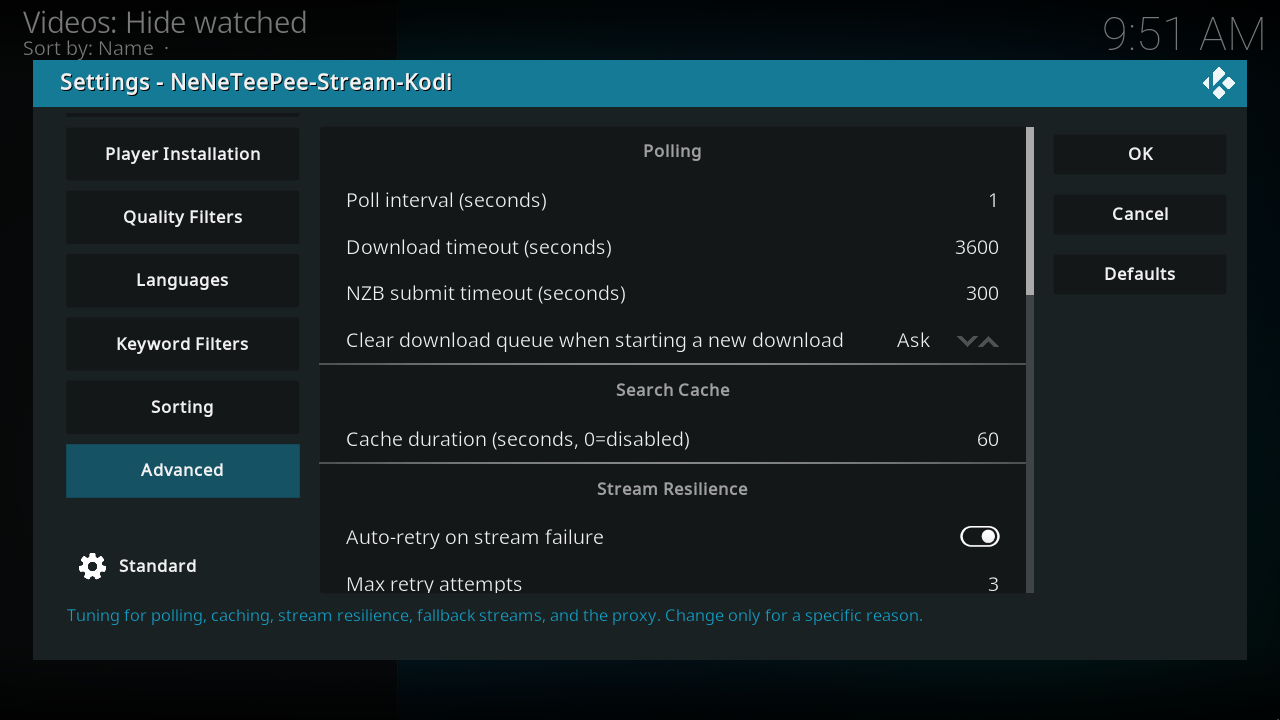
Captured on the OrbStack Kodi VM from commit 5a50676. Debug overlays are off, and credentials use example values. Capture details.
Every option
Polling
Poll interval and download timeout apply to both nzbdav / InfiniDysk and NZBGet.
| Option and setting ID | Default | What it does |
|---|---|---|
Poll interval (seconds)1poll_interval |
1 | Seconds between checks of the download's status. Clamped to 1-60. |
Download timeout (seconds)2download_timeout |
3600 | Give up waiting for the download to become ready after this many seconds. Clamped to 60-86400. |
Search cache
| Option and setting ID | Default | What it does |
|---|---|---|
Cache duration (minutes, 0=off)3cache_ttl_minutes |
30 | Cache raw search results for this many minutes. 0 turns caching off; runtime values are clamped to 0–1440 (24 hours). Filter and sorting changes still apply to cached results. TMDBHelper playback and the plugin routes share the cache, so replaying a title within the window skips the indexer search. |
cache_warning_shown4cache_warning_shown |
Off | Hidden state recording whether the cache warning has been shown. The add-on manages it. Hidden from the settings dialog. |
cache_dialog_dismissed5cache_dialog_dismissed |
Off | Hidden state recording dismissal of the cache dialog. The add-on manages it. Hidden from the settings dialog. |
Source notes
Labels and schema defaults are from commit db07f61. Runtime limits can differ from the editable schema; the explanations identify those limits. Links use the full commit ID, so later changes to main do not move them.