NeNeTeePee-Stream-Kodi
Play Usenet movies and TV episodes in Kodi through TMDBHelper. Choose nzbdav / InfiniDysk, NZBGet, or StreamNZB as your playback backend.
The add-on provides no media or indexers. You need your own backend service and Usenet access.
Get started
- Install the add-on.
- Connect a backend service.
- Configure search providers if you use nzbdav / InfiniDysk or NZBGet.
- Install the TMDBHelper player.
- Play your first title.
This site describes the current source. Released builds can have fewer features. Check the beta channel guide and release notes for your installed version.
Choose a backend
| Backend | How it plays | Connection guide |
|---|---|---|
| nzbdav / InfiniDysk | Streams video over WebDAV through the add-on proxy. | Connect nzbdav or InfiniDysk |
| NZBGet | Downloads and processes the release, then plays the completed file. | Connect NZBGet |
| StreamNZB | Searches on the server and gives Kodi a direct HTTP stream. | Connect StreamNZB |
The add-on uses a shared release picker with parsed filenames, quality metadata, filters, and sorting. Recovery differs by backend. Configure the settings that apply to your selected backend.
Select a release
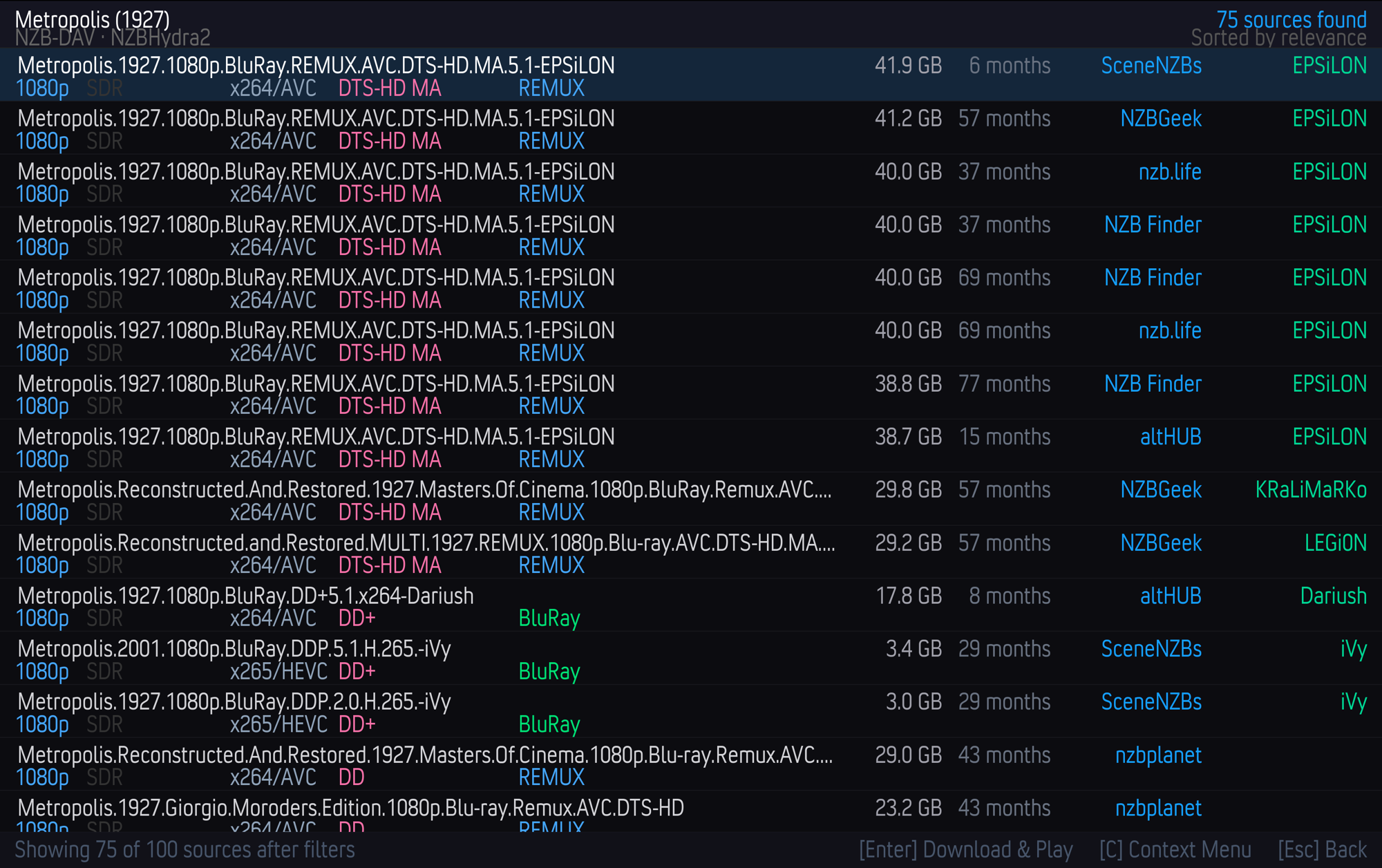
The existing screenshot shows the release picker before the branding change. The current add-on name is NeNeTeePee-Stream-Kodi.
Use quality filtering and sorting to control the releases you see. The picker can also show entries that your filters rejected.
Find more information
- Settings reference lists connection and playback options.
- Playback and seeking explains proxy behavior for nzbdav / InfiniDysk.
- Fallback streams explains source recovery in the proxy.
- Troubleshooting helps diagnose connection and playback failures.
- Architecture describes the source modules and playback paths.
Compatibility
The display name is NeNeTeePee-Stream-Kodi. The add-on ID remains plugin.video.nzbdav so existing installations, settings, and TMDBHelper routes continue to work. The repository and documentation use the new project name.