Playback backend
Choose the service that resolves playback. The selected backend controls which connection fields Kodi shows. nzbdav / InfiniDysk submits NZBs through a SABnzbd-compatible API and streams over WebDAV. NZBGet downloads and unpacks the release before Kodi reads the completed file. StreamNZB searches on its server and returns an HTTP playback URL. Its playback bypasses the local proxy and local indexer clients. See the backend setup guides for connection examples.
Kodi screenshots
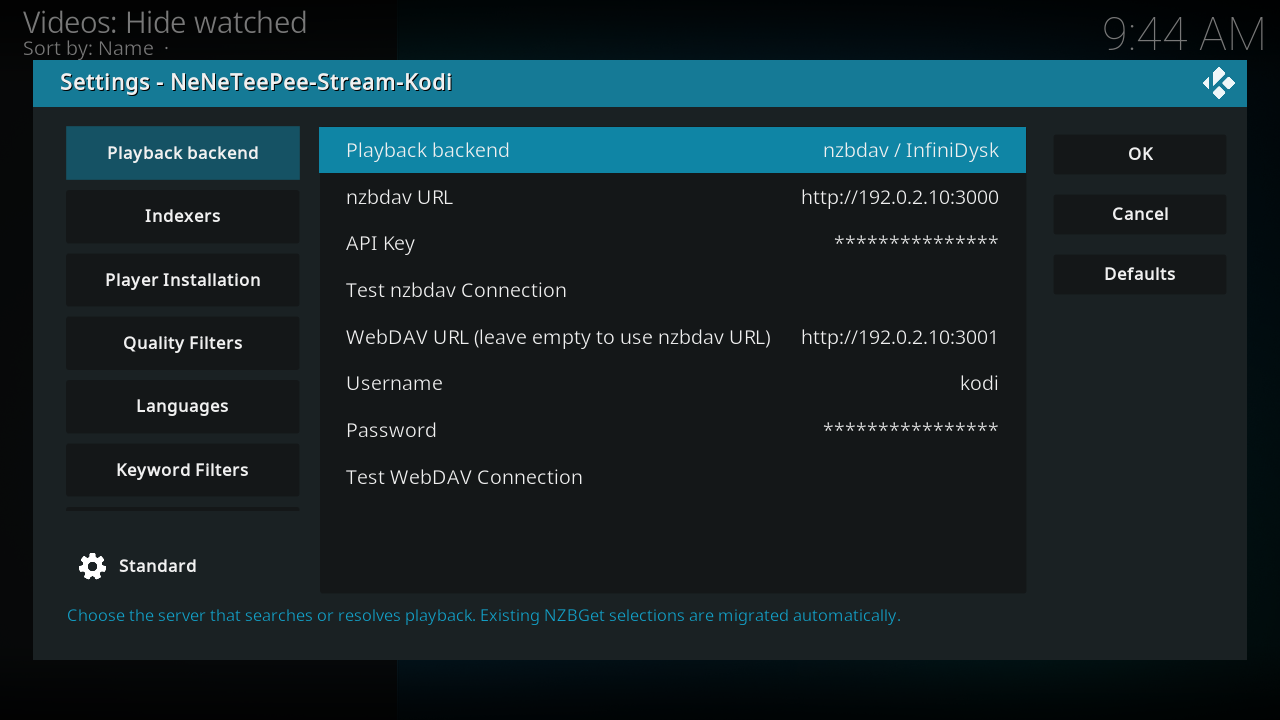
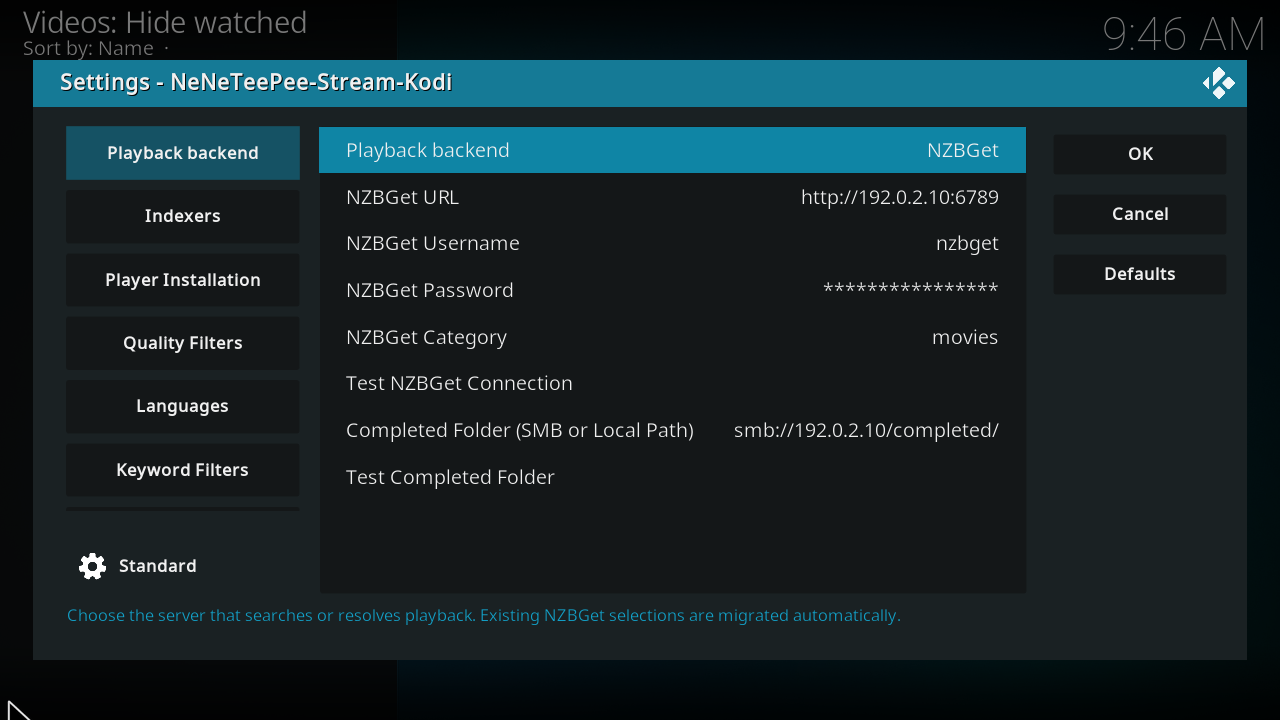
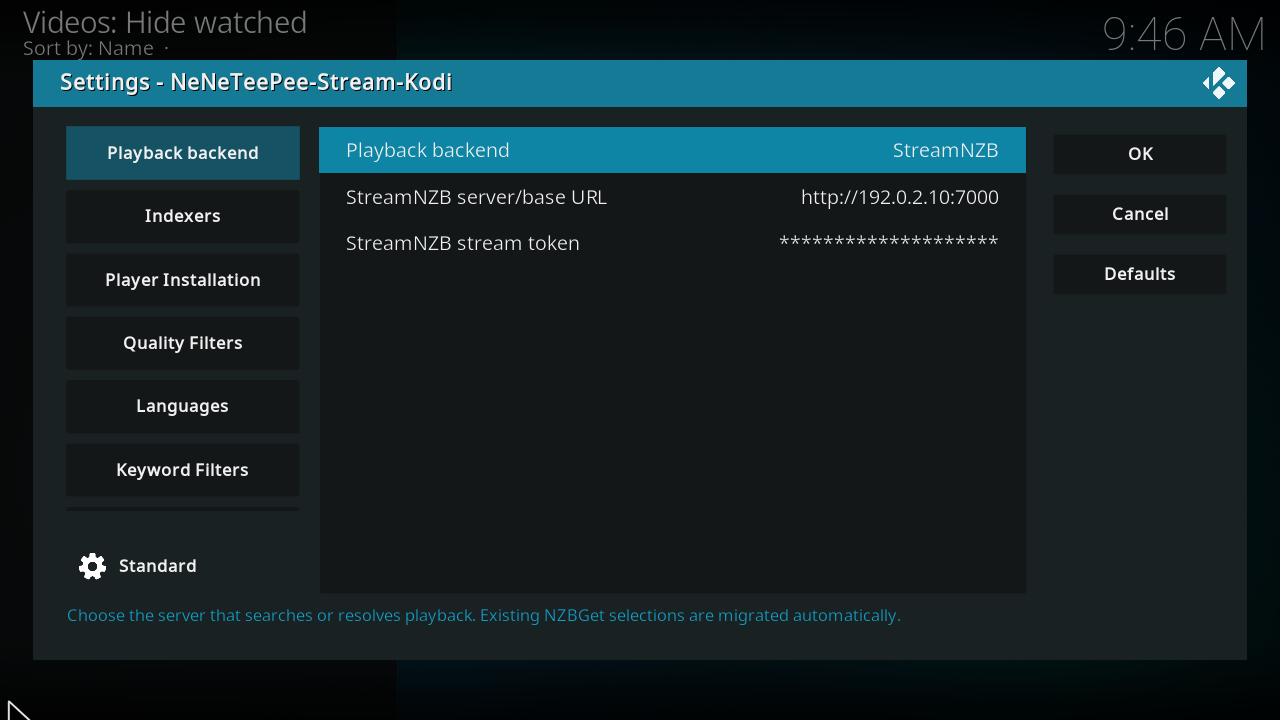
Captured on the OrbStack Kodi VM from commit db07f61. Debug overlays are off, and credentials use example values. Capture details.
Every option
Options
| Option and setting ID | Default | What it does |
|---|---|---|
Playback backend1playback_backend |
nzbdav / InfiniDysk | Choose the server that searches or resolves playback. Existing NZBGet selections are migrated automatically. Choices: 0 = nzbdav / InfiniDysk, 1 = NZBGet, 2 = StreamNZB. |
StreamNZB server/base URL2streamnzb_url |
Empty | Use an HTTP or HTTPS base URL reachable from Kodi. Localhost refers to the Kodi device. Visible when playback_backend = 2. |
StreamNZB stream token3streamnzb_token |
Empty | Use a StreamNZB stream token from its Install page. This field is masked. Do not enter the dashboard administrator password. Kodi uses the token to authorize searches and playback URLs. Visible when playback_backend = 2. |
nzbdav URL4nzbdav_url |
http://localhost:3000 | Base URL of your nzbdav server (SABnzbd-compatible API). Used to submit and poll downloads. Visible when playback_backend = 0. |
API Key5nzbdav_api_key |
Empty | nzbdav API key, from Settings > Usenet > API Key in nzbdav. Visible when playback_backend = 0. |
Test nzbdav Connection6action_test_nzbdav |
Button | Verify the nzbdav URL and API key are reachable and valid. Visible when playback_backend = 0. |
WebDAV URL (leave empty to use nzbdav URL)7webdav_url |
http://localhost:8080 | Base URL of the WebDAV server used to stream files. Leave empty to reuse the nzbdav URL. Visible when playback_backend = 0. |
Username8webdav_username |
Empty | WebDAV username, from Settings > WebDAV in nzbdav. Visible when playback_backend = 0. |
Password9webdav_password |
Empty | WebDAV password. The dialog masks the value; the profile settings file stores it. Visible when playback_backend = 0. |
Test WebDAV Connection10action_test_webdav |
Button | Verify WebDAV is reachable with the current URL and credentials. Visible when playback_backend = 0. |
NZBGet URL11nzbget_url |
http://localhost:6789 | NZBGet control address, for example http://host:6789. Visible when playback_backend = 1. |
NZBGet Username12nzbget_username |
nzbget | NZBGet control username. Visible when playback_backend = 1. |
NZBGet Password13nzbget_password |
Empty | NZBGet control password. The dialog masks the value; the profile settings file stores it. Visible when playback_backend = 1. |
NZBGet Category14nzbget_category |
Empty | Category to submit downloads under. Also used to help locate the completed file. Visible when playback_backend = 1. |
Test NZBGet Connection15action_test_nzbget |
Button | Verify NZBGet is reachable with the current URL and credentials. Visible when playback_backend = 1. |
Completed Folder (SMB or Local Path)16nzbget_smb_root |
Empty | smb:// URL or local/mounted path of NZBGet's completed-downloads base, used to play the finished file. Visible when playback_backend = 1. |
Test Completed Folder17action_test_nzbget_smb |
Button | Verify the completed-downloads folder (SMB share or local path) is reachable. Visible when playback_backend = 1. |
Source notes
Labels and schema defaults are from commit db07f61. Runtime limits can differ from the editable schema; the explanations identify those limits. Links use the full commit ID, so later changes to main do not move them.