rustyget::docs::settings_processing
Settings guide
Repair and unpacking
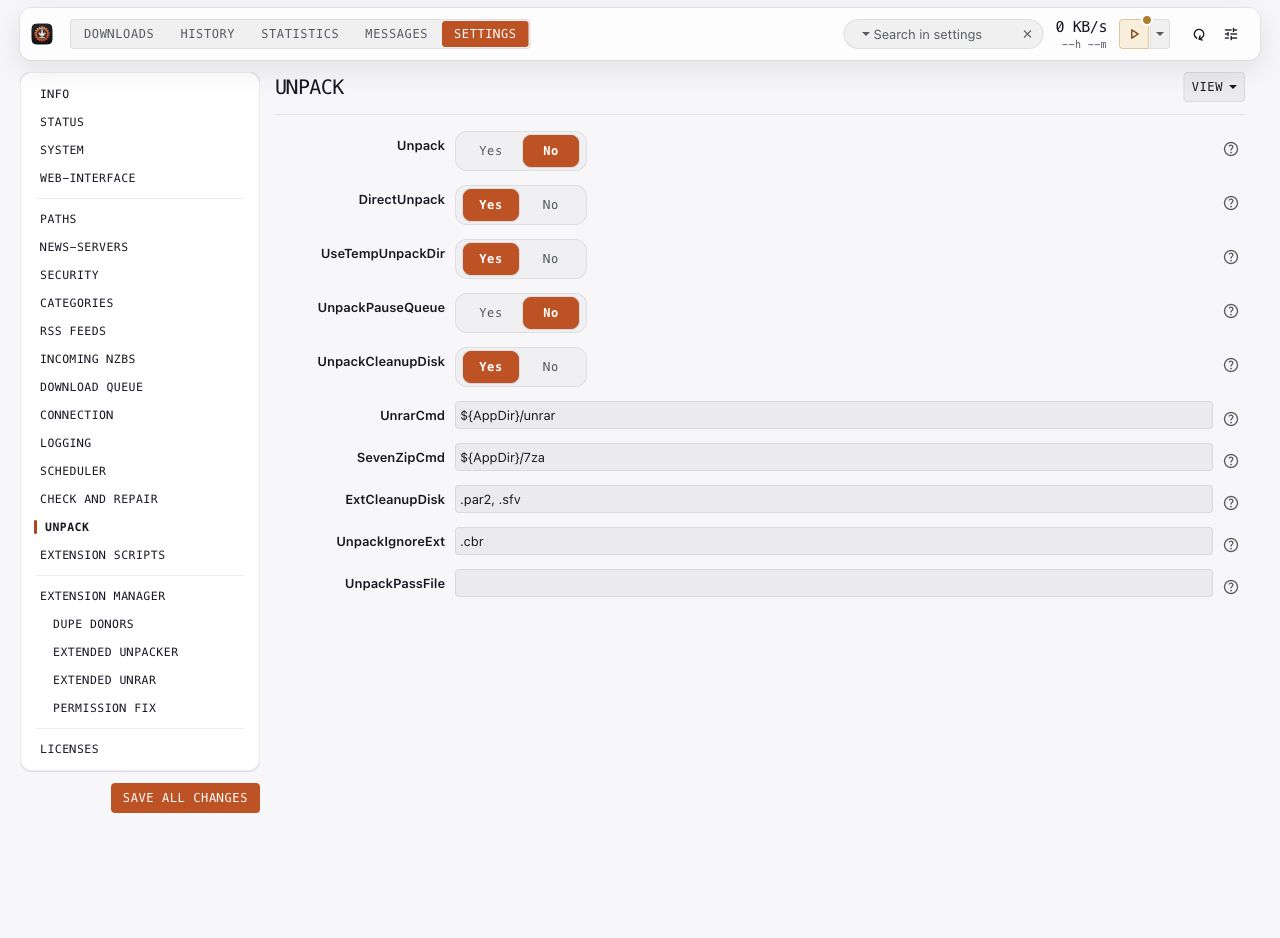
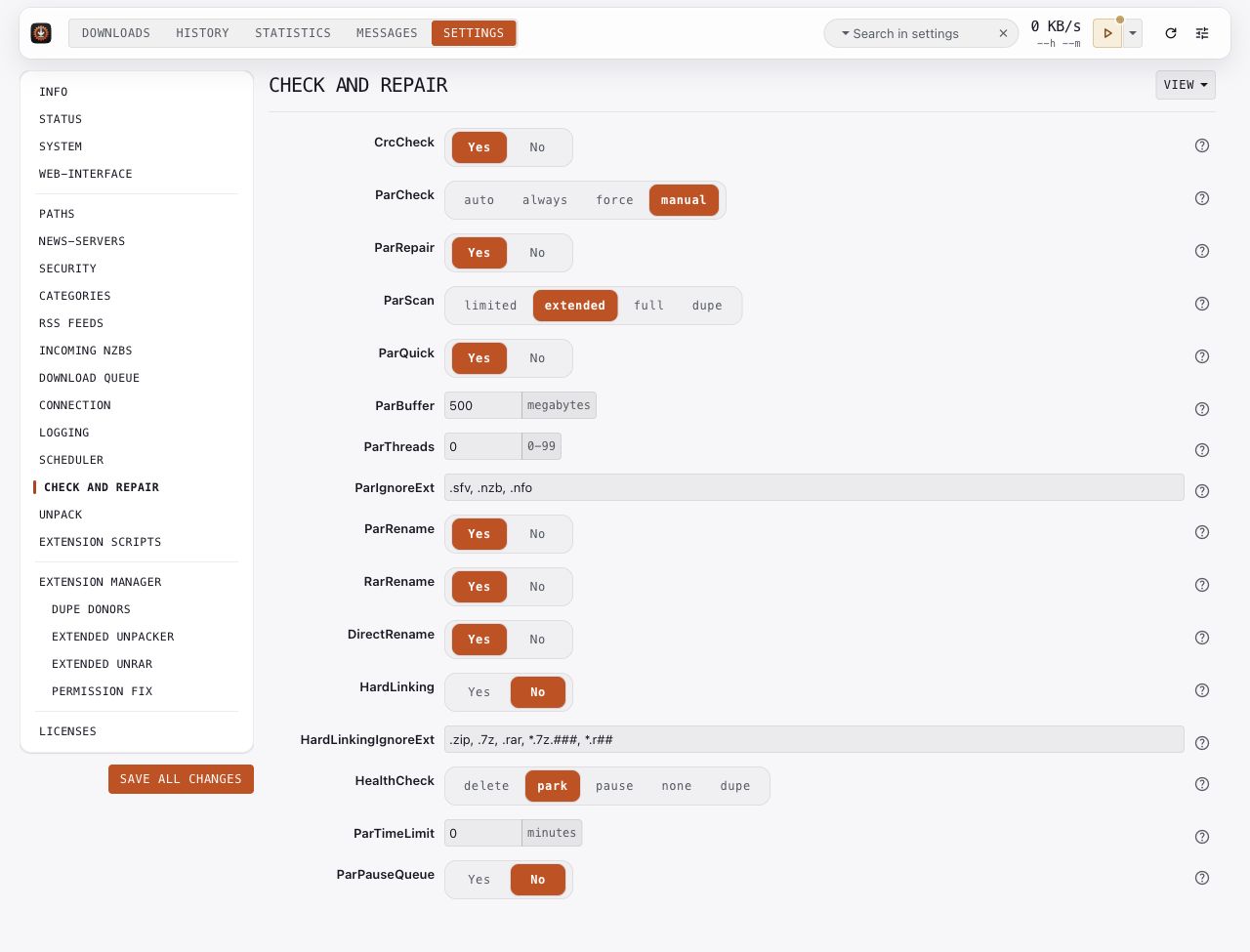
Pictures use an isolated demonstration service and example values. Credentials are blank, folders use variables, and extension defaults are sanitized. These pictures illustrate the controls. Choose values for your installation; the pictured status comes from the demonstration service. Your build and installed extensions can differ.
Check and repair
Keep CrcCheck enabled for article checksum validation. Choose a ParCheck mode for par2 verification and use ParRepair to control repair. ParQuick, ParScan, and the rename controls affect how the daemon finds and verifies files.
HealthCheck determines how the daemon handles a download that cannot complete from its current articles. The dupe mode can fail over to another copy; see Duplicate fleets before enabling it.
Review ParBuffer and ParThreads against available memory and CPU capacity. ParPauseQueue and ParTimeLimit control how repair work interacts with downloads. A successful check or repair appears in the download's History details.
Key options: CrcCheck, ParCheck, ParRepair, ParQuick, HealthCheck, ParBuffer, ParThreads.
Unpack
Turn Unpack on when you want archive extraction. Check that UnrarCmd and SevenZipCmd select tools available to the daemon. DirectUnpack can extract supported archives while articles arrive; UseTempUnpackDir controls temporary extraction folders.
UnpackCleanupDisk removes archive files after successful extraction. Choose it according to what you want the completed folder to retain. UnpackIgnoreExt lists nonstandard RAR extensions, such as .cbr, that should keep their names during RAR renaming. It also suppresses the failure for finding only nonstandard RAR archives with those extensions. Recognized .rar and .7z archives still follow normal extraction. UnpackPassFile supplies a password-list file when needed.
A category can override the global unpack setting. For nested archives, see the optional extension examples in Extensions.
Key options: Unpack, DirectUnpack, UseTempUnpackDir, UnrarCmd, SevenZipCmd, UnpackCleanupDisk, UnpackIgnoreExt.