rustyget::docs::settings_automation
Settings guide
Feeds and schedules
Pictures use an isolated demonstration service and example values. Credentials are blank, folders use variables, and extension defaults are sanitized. These pictures illustrate the controls. Choose values for your installation; the pictured status comes from the demonstration service. Your build and installed extensions can differ.
RSS feeds
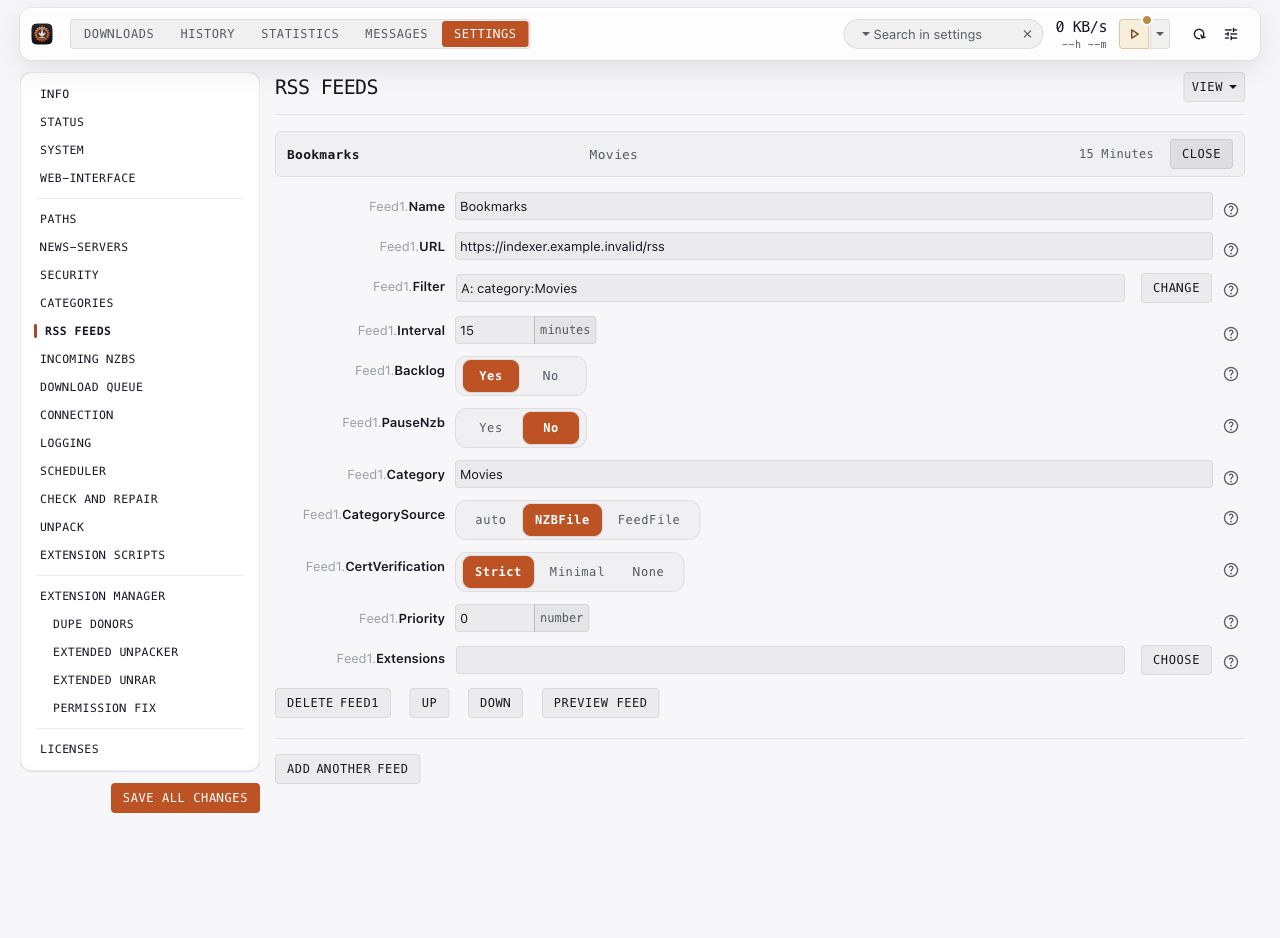
- Click Add Feed or Edit beside an existing feed.
- Give it a name and enter the RSS URL from your indexer.
- Set the filter, category, priority, and whether new NZBs start paused.
- Use Preview feed to inspect the filter's result before relying on it.
- Save your changes and observe the next fetch in Downloads and Messages.
Interval is in minutes. Zero disables automatic fetching. With Backlog=yes, the first fetch marks existing items as backlog and ignores them; later fetches process new items. Changing the URL or filter can cause another first-fetch backlog pass.
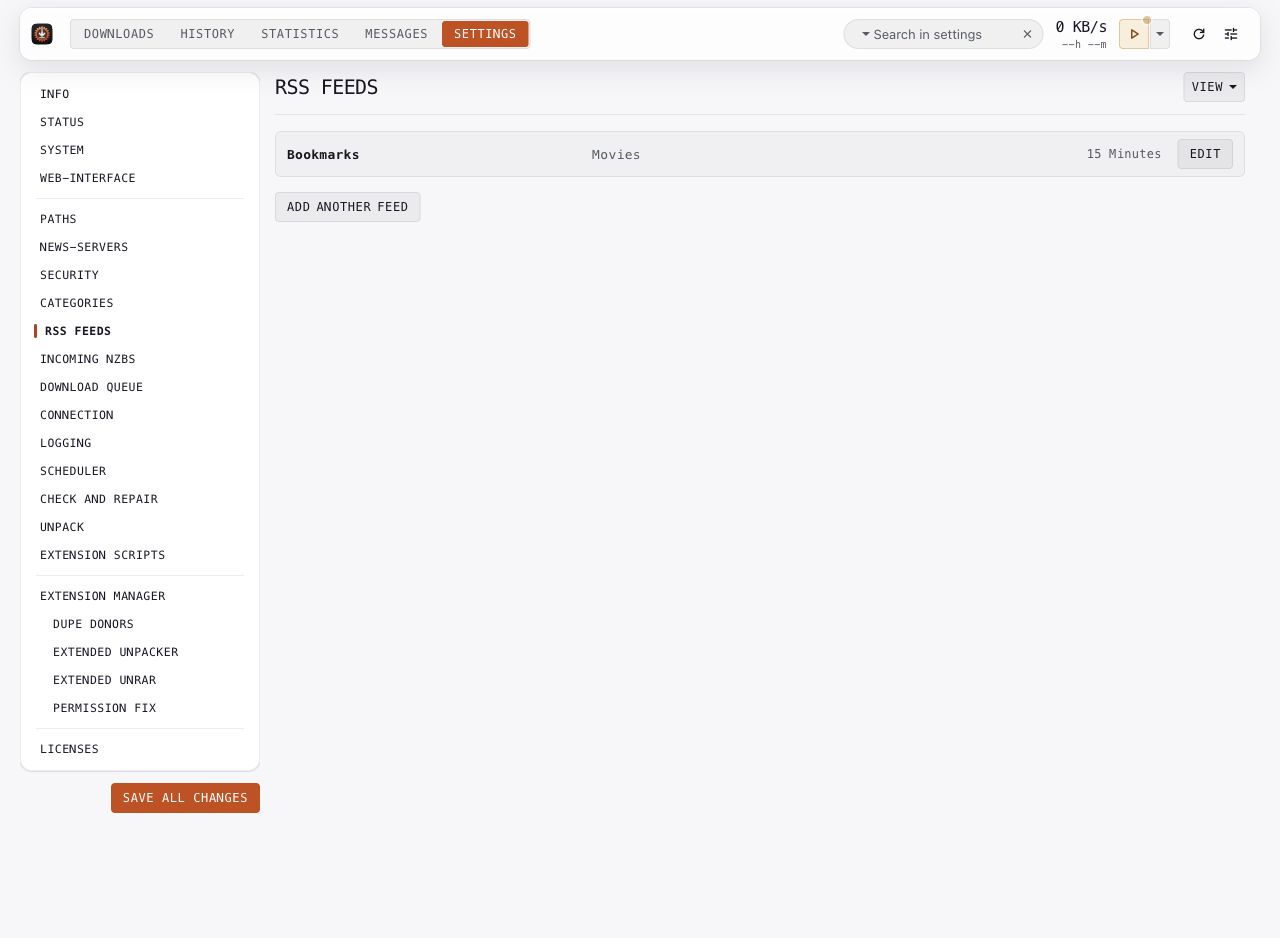
RSS URLs can contain account credentials or API keys. The compact summary shows the feed's name, category, and interval. Open the editor to review its URL and rules.
Key options: FeedN.URL, FeedN.Filter, FeedN.Interval, FeedN.Backlog, FeedN.PauseNzb, FeedN.CategorySource.
For rule syntax and examples, see the RSS guide and the option's built-in help.
Scheduler
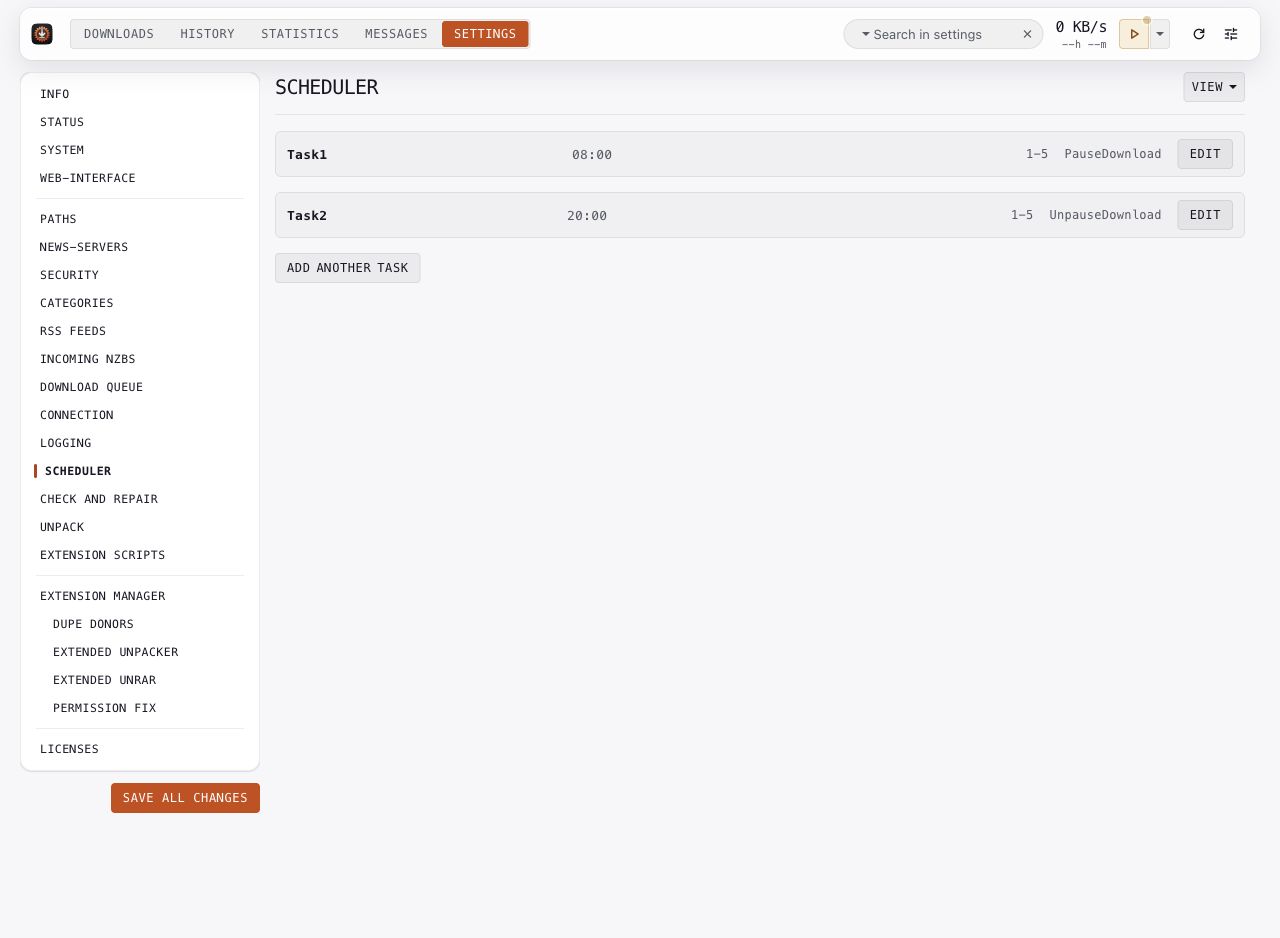
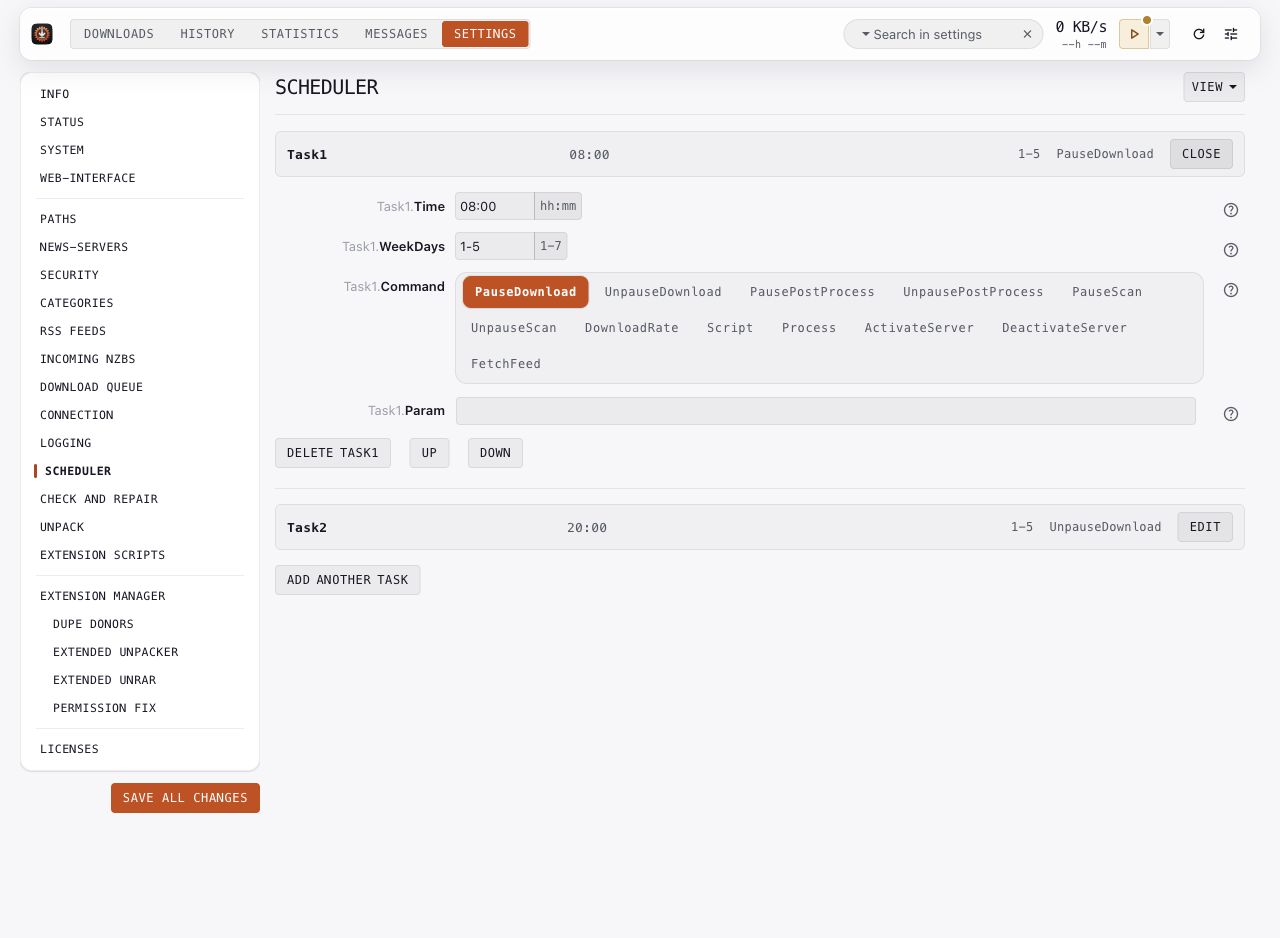
Create one task per timed action. Each row summarizes its time, weekdays, and command. Edit reveals Time, WeekDays, Command, and Param.
- Enter times as
HH:MM. A comma-separated list runs the task at several times. - Use
*:00for every hour, or*for program startup. - Weekdays use numbers 1 through 7, with Monday as 1.
1-5means weekdays. - Choose the command, then supply
Paramonly when that command needs it.
The example pauses downloads at 08:00 and resumes at 20:00 on weekdays. It is demonstration data, not an active schedule. Review TimeCorrection when the daemon's clock differs from the intended schedule.
Commands that select servers or feeds can use names or numbered entries. Recheck numbered references after you move or delete entries. Process runs an external program; Script runs scheduler extensions. Command parameters remain inside the editor.
Key options: TaskN.Time, TaskN.WeekDays, TaskN.Command, TaskN.Param, TimeCorrection.