rustyget::docs::settings_basics
Settings guide
Basic setup
Pictures use an isolated demonstration service and example values. Credentials are blank, folders use variables, and extension defaults are sanitized. These pictures illustrate the controls. Choose values for your installation; the pictured status comes from the demonstration service. Your build and installed extensions can differ.
Web-interface
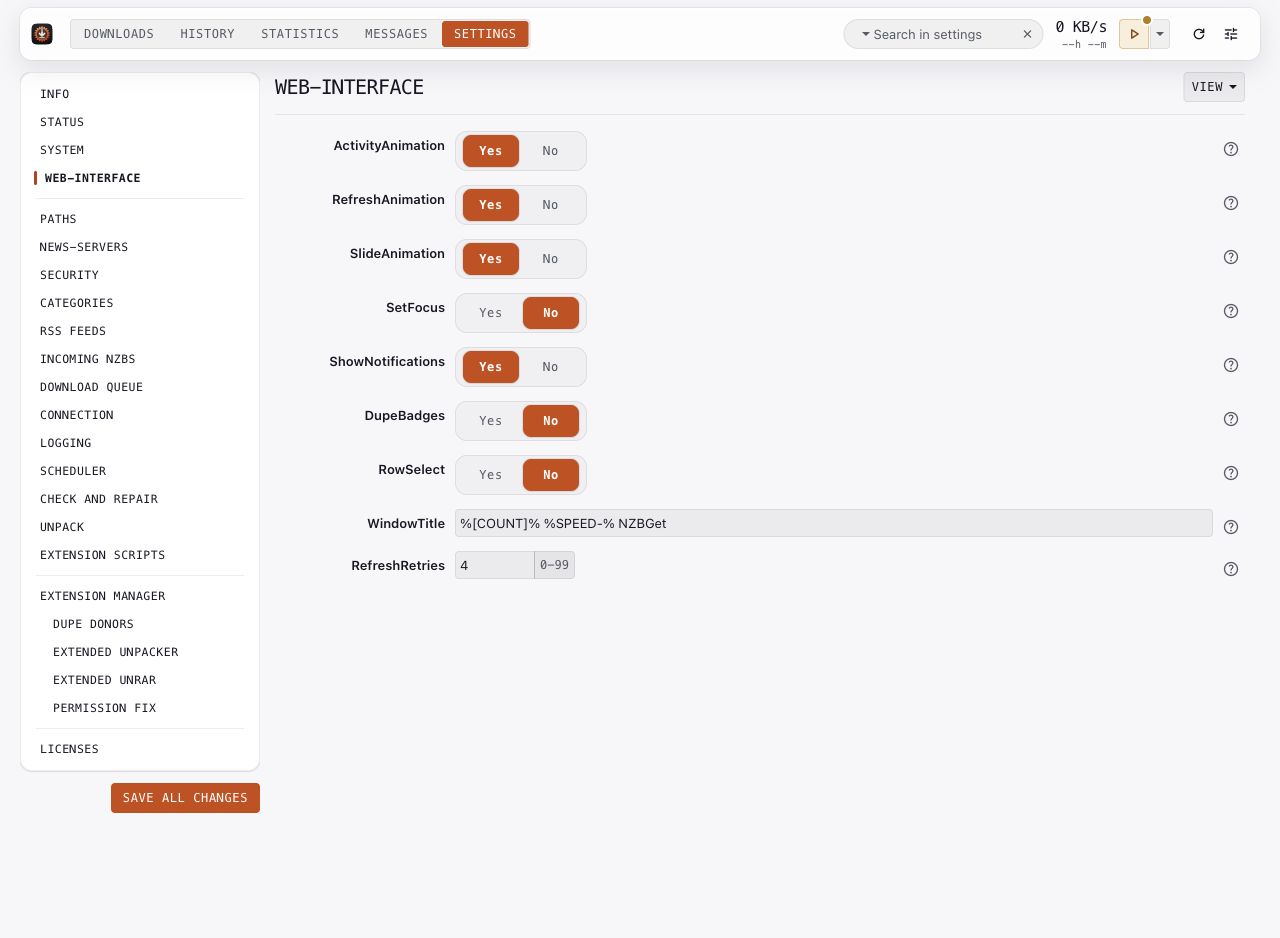
Choose the browser behavior that suits your device. ActivityAnimation, RefreshAnimation, and SlideAnimation control animation. SetFocus controls automatic focus in dialogs. DupeBadges controls the duplicate labels, and RowSelect controls row selection behavior.
ShowNotifications controls popup notifications. WindowTitle can include queue counts or speed. RefreshRetries controls how many times the browser retries after a communication error.
Save these preferences in each browser you use. They do not change another browser's preferences or the daemon's download configuration.
Paths
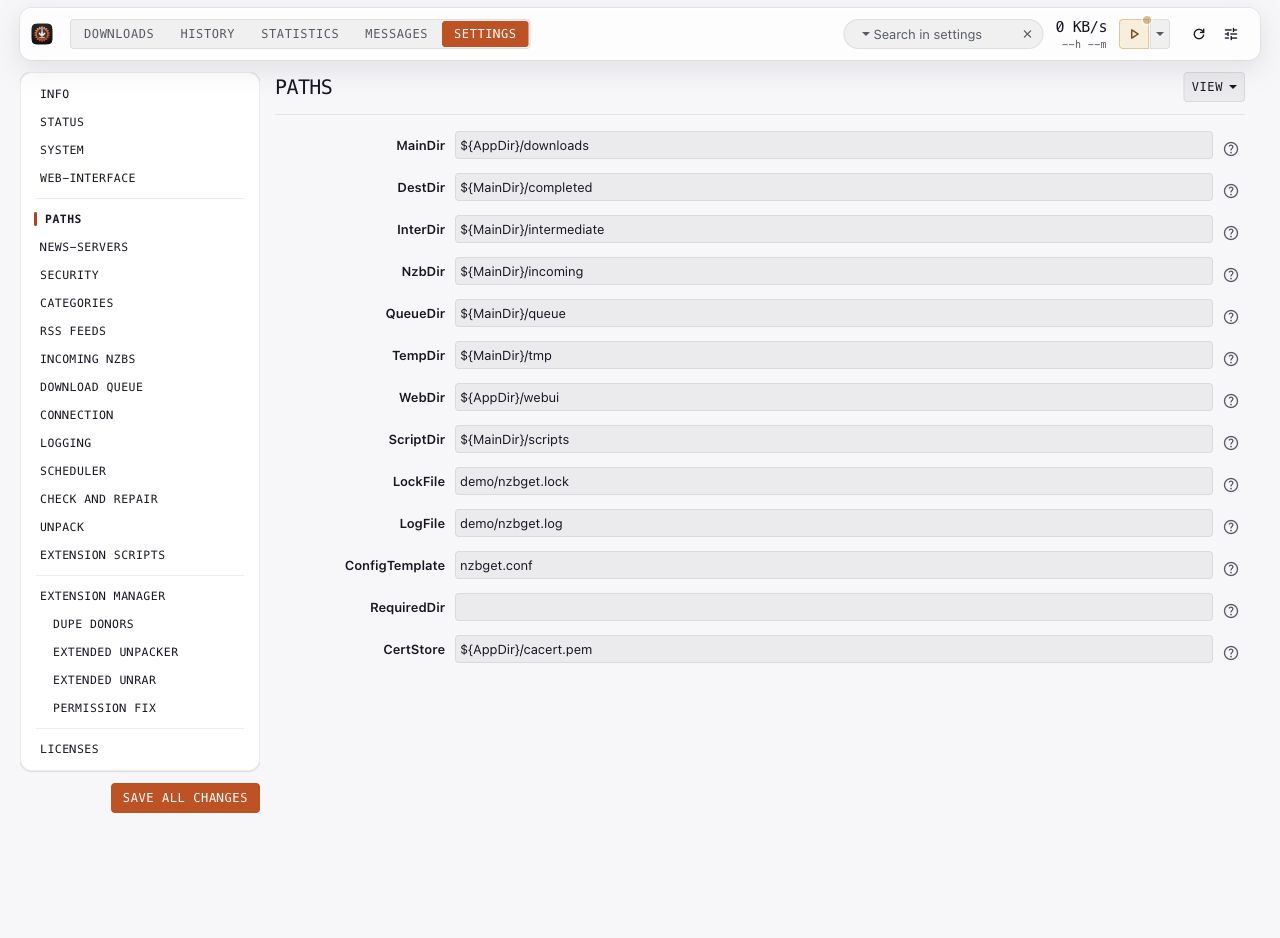
Set MainDir to a writable folder on the computer or container running the daemon. Review the other folders before starting downloads:
DestDirholds completed files.InterDirholds downloads in progress.NzbDirreceives incoming NZB files.QueueDirholds the queue and history.TempDirholds temporary files.ScriptDirholds extensions.
Folder values can use variables such as ${MainDir}. For a container, use folders visible inside that container. Check ownership and free space in the deployment itself.
Key options: MainDir, DestDir, InterDir, NzbDir, QueueDir, RequiredDir.
News servers
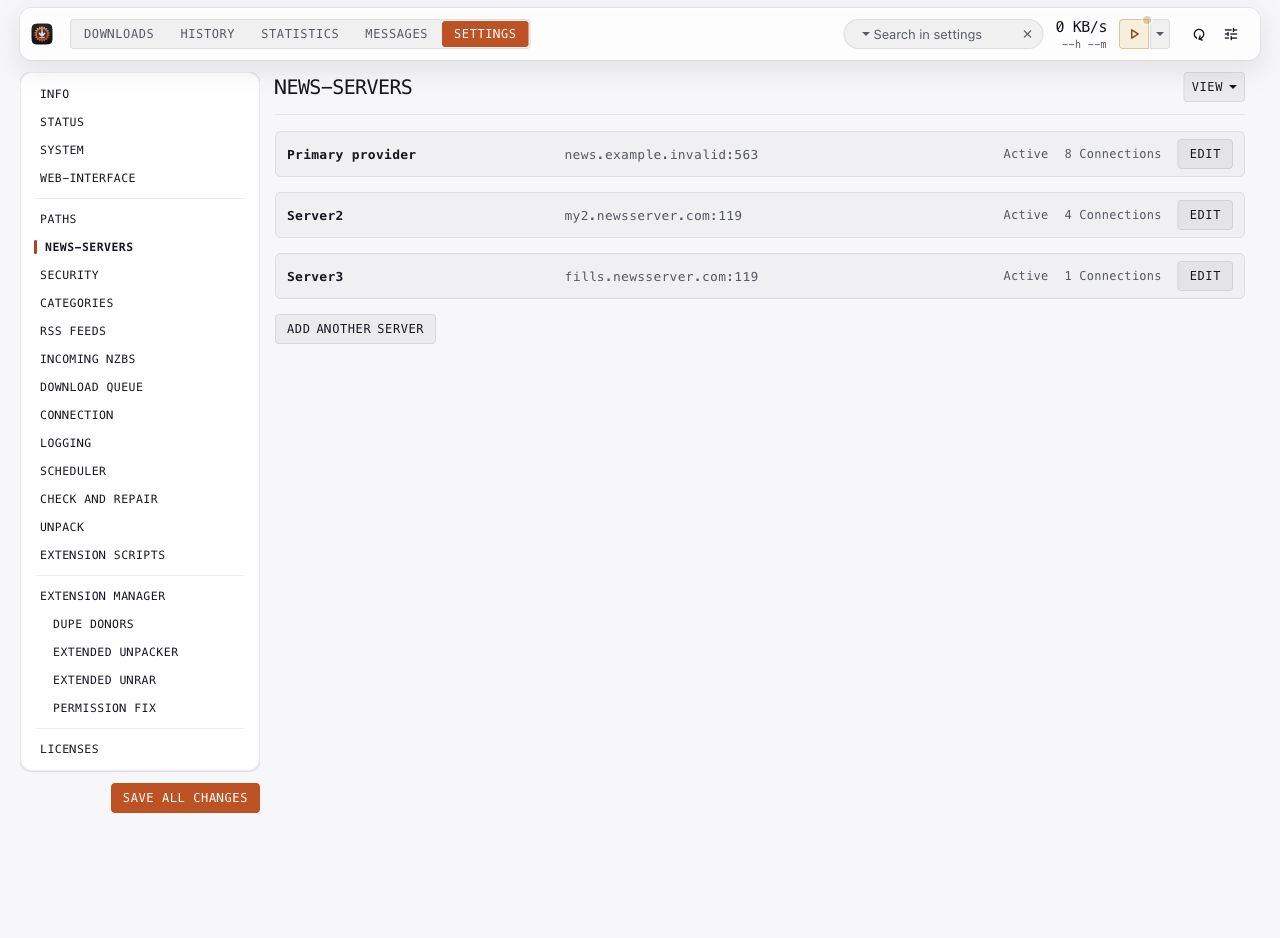
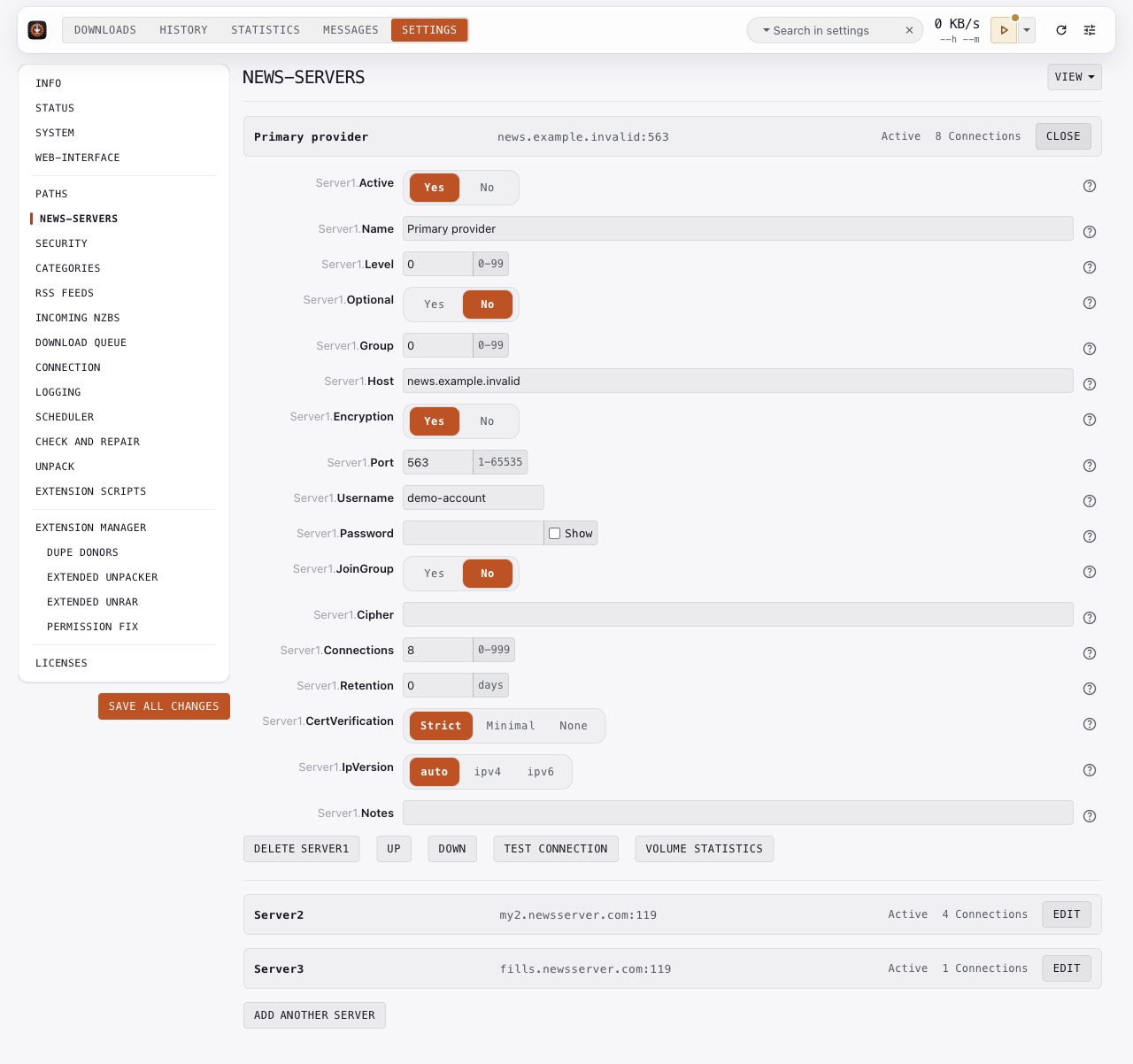
- Click Add Server, or Edit an existing server.
- Enter the host, port, username, and password supplied by your provider.
- Set encryption and certificate verification for the provider's connection.
- Set
Connectionswithin your account's limit. - Use Test connection to check the entered settings, then save your changes.
Lower levels have priority: a level 0 server is tried before level 1 fill servers. Active enables or disables an entry. Retention can avoid requests for articles older than the provider keeps. Open option help before changing Optional or Group, which affect retry and server selection behavior.
Key options: ServerN.Host, ServerN.Encryption, ServerN.CertVerification, ServerN.Connections, ServerN.Level, ServerN.Retention.
Security
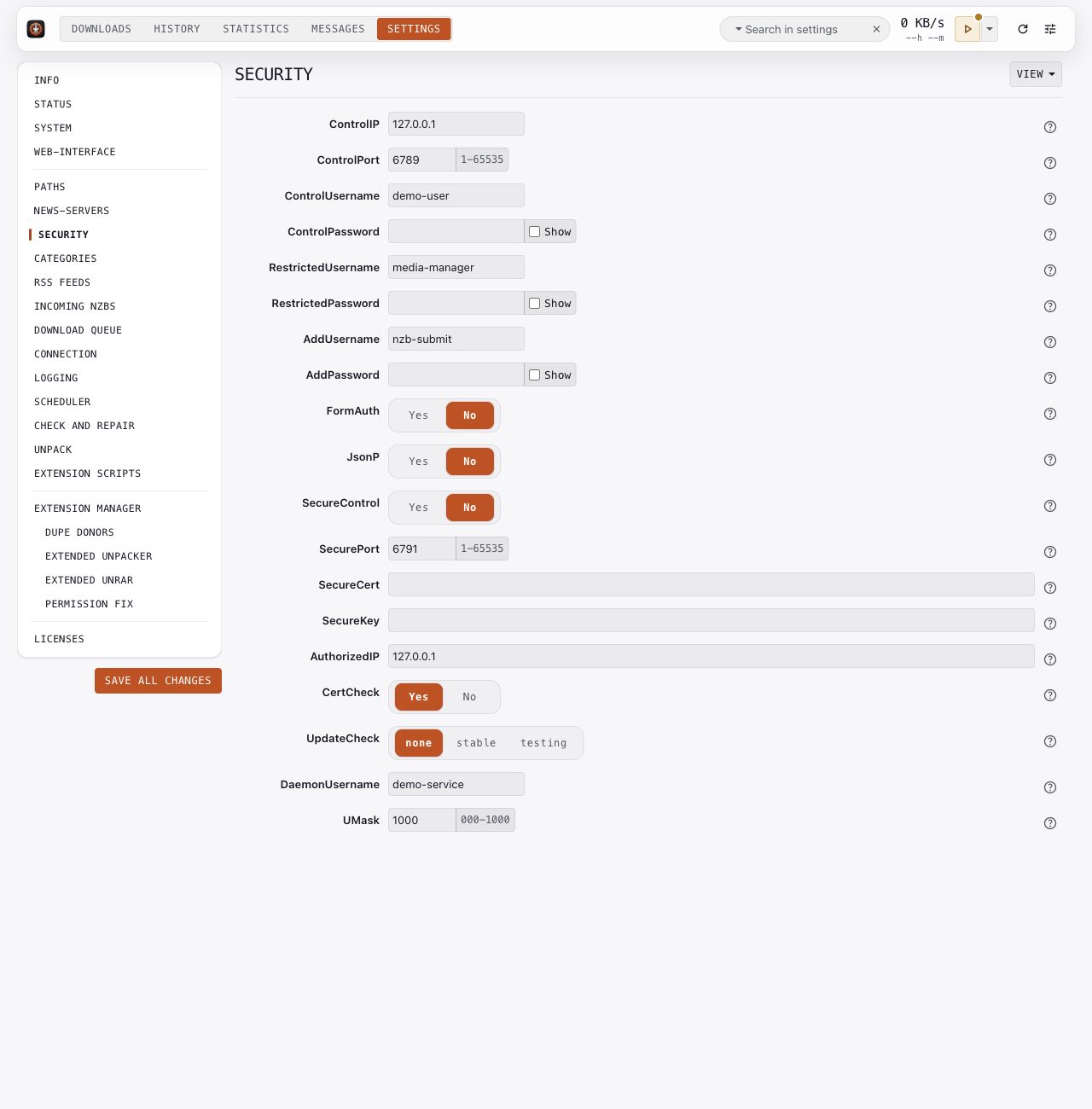
Set ControlUsername and ControlPassword for the full-control account. Give automation its own restricted account, and use the add-only account for clients that only submit downloads. Set every account password yourself; the pictures omit them.
Review ControlIP and ControlPort for your network. For HTTPS served by the daemon, configure SecureControl, SecurePort, SecureCert, and SecureKey. Keep provider certificate checks enabled and configure a certificate store when your installation requires it.
Key options: ControlUsername, ControlPassword, RestrictedUsername, AddUsername, ControlIP, SecureControl, CertCheck.
Categories
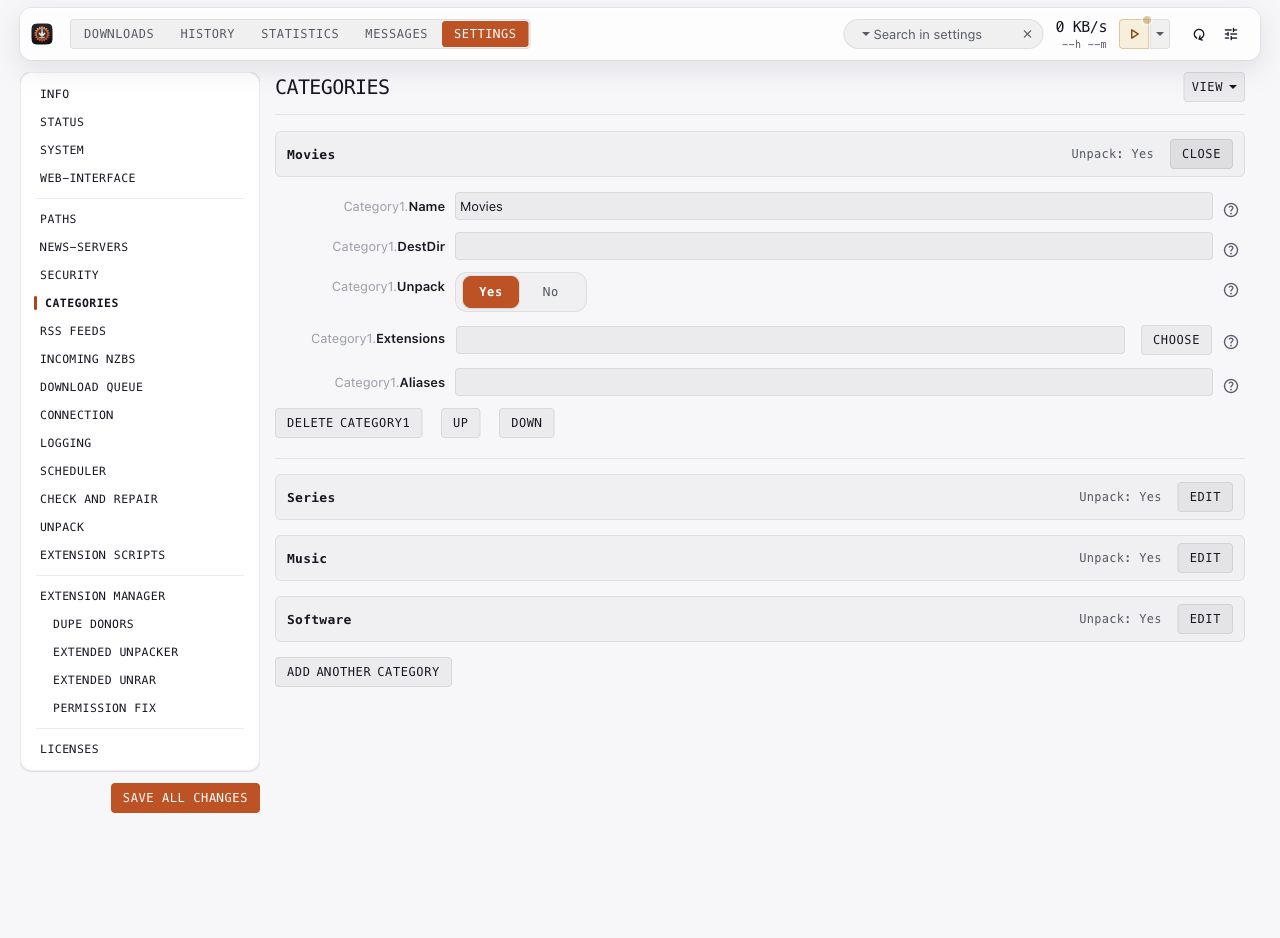
Create a category for each workflow. Movies and Series are examples. Match its Name to the category sent by your media manager. Choose a category-specific destination when needed; an empty destination uses the global setting.
Use Unpack to override archive extraction for that category. Choose Extensions for its post-processing workflow. Aliases match names supplied by incoming NZBs.
Click Close after editing to check the summary, then save all changes.
Key options: CategoryN.Name, CategoryN.DestDir, CategoryN.Unpack, CategoryN.Extensions, CategoryN.Aliases.