Appearance
Getting started
This page shows you how to save your TorBox API key, preview a deletion, and then delete items from your TorBox cloud.
Before you begin
You need the following:
- A TorBox account
- uv
- Python 3.10 or later. If you don't have it, uv installs it for you.
Get the code
bash
git clone https://github.com/xbmc4lyfe/torbox-cleaner.git
cd torbox-cleaner
Save your API key
Run the setup command:
bashuv run torbox-cleaner --setupThe setup command opens your TorBox account settings in your browser. If it can't open a browser, it prints the link instead. To print the link without trying to open a browser, add
--no-browser.In the API Key section, click Copy API Key.
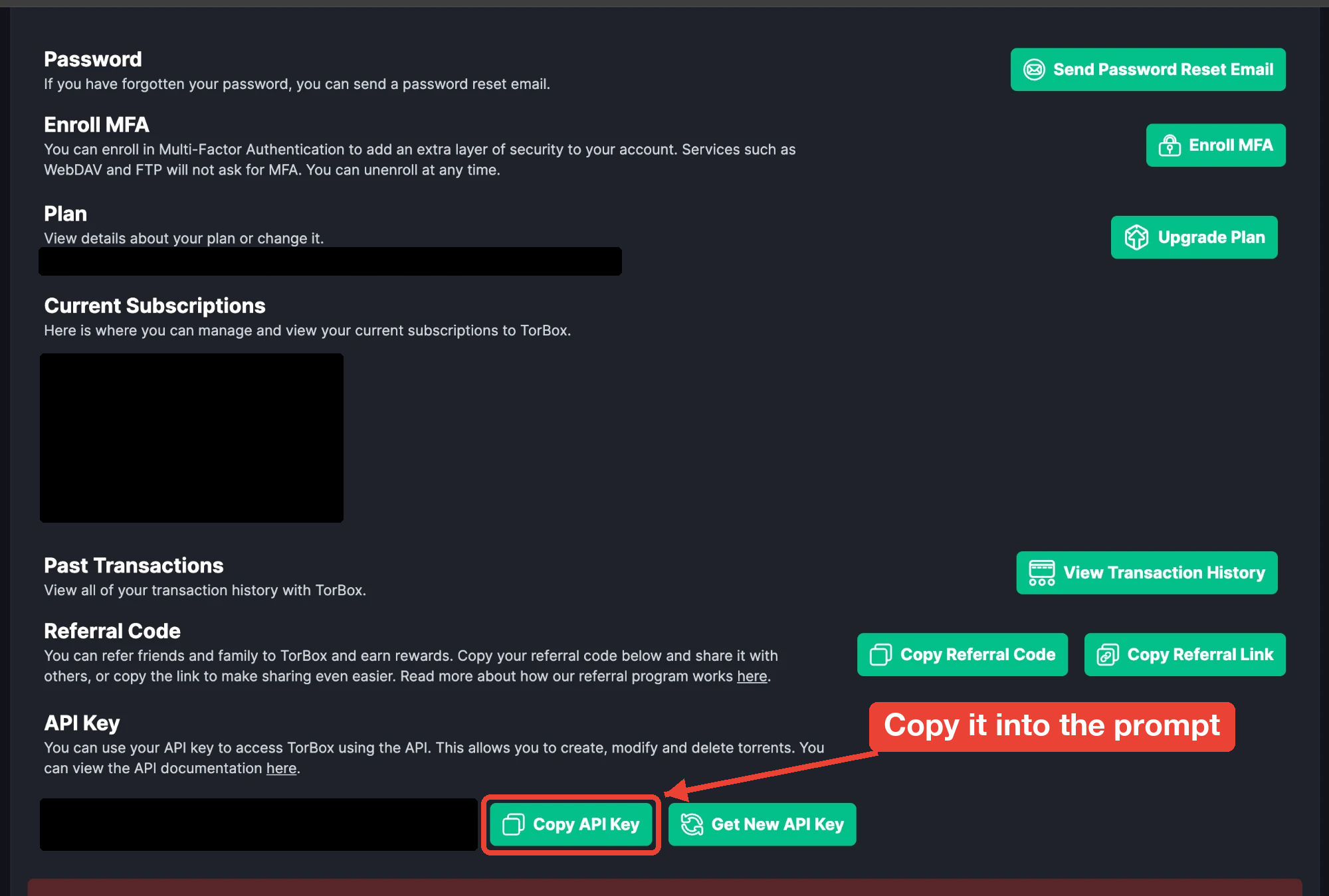
At the
Paste API key here:prompt, paste your key and press Enter.textPaste API key here: ************************************ Saved TORBOX_API_KEY to /path/to/torbox-cleaner/.env
The key appears as asterisks while you type. torbox-cleaner saves it in the .env file at the root of the repository and sets the file's permissions to 0600. If the file already contains a TORBOX_API_KEY, the new key replaces it, and the other lines in the file stay the same.
Key validation
A TorBox API key is a version 4 UUID in standard canonical form: 32 hexadecimal digits, grouped 8-4-4-4-12. The version digit is 4, and the variant digit is 8, 9, a, or b. If what you paste doesn't match this format, torbox-cleaner prints That is not a valid TorBox API key and asks you again.
Preview, then delete
Preview what would be deleted:
bashuv run torbox-cleaner --dry-run --delete-alltextFetched 555 torrents item(s) Fetched 0 usenet item(s) Fetched 0 webdl item(s) Selection: everything Would delete 555 of 555 item(s), 21.43 TB: torrent 85472971 1.09 TB Game of Thrones (2011) [2160p] ... ... Dry run: 555 item(s), 21.43 TB would be deleted. Nothing was changed.When the list looks right, delete the items:
bashuv run torbox-cleaner --delete-allAt the confirmation prompt, type
yes. For more about the safeguards, see Safety.
Install the command
To run torbox-cleaner from any directory, without uv run, install it as a uv tool.
From the root of the repository, run the following command:
bashuv tool install .uv puts the
torbox-cleanercommand in~/.local/bin. If your shell can't find the command, runuv tool update-shelland open a new terminal.Save your API key for the installed command:
bashtorbox-cleaner --setupThe installed command saves the key in
~/.config/torbox-cleaner/.env. IfXDG_CONFIG_HOMEis set, it uses$XDG_CONFIG_HOME/torbox-cleaner/.envinstead. If you skip this step, torbox-cleaner starts setup automatically the first time you run it.Run torbox-cleaner from any directory:
bashtorbox-cleaner --delete-all
Updating
The installed command is a copy of the code. After you pull changes, run uv tool install . --reinstall to update it.